The practical test for stone shop tech stack is whether it helps a shop quote faster, waste less material, and avoid preventable mistakes on real jobs. Anything else is just software theater.
Last October I sat in on a software demo at a 14-person countertop shop outside Charlotte. The owner, Ray, had a Dell laptop balanced on a stack of remnant slabs in the corner of his slab yard, Zoom open on one half of the screen and a QuickBooks invoice on the other. His templator was texting him measurements from a jobsite. His office manager was updating a Google Sheet that served as the production schedule. And the sales rep on Zoom was trying to explain how a vertical platform could replace all three of those things at once. Ray’s first question: “Can it tell me which slabs in my yard match the vein on the piece I just sold?” That question, mundane as it sounds, is the entire reason vertical stone shop software exists.
Generic ERPs and small-business tools don’t know what vein matching is. They don’t understand that a 3cm Calacatta Gold slab weighing 780 pounds needs to be paired with another slab from the same bundle before a homeowner signs off on a kitchen layout. They can’t model the handoff between a laser templator in someone’s house and a CNC saw operator back at the shop. Vertical platforms can. That’s the pitch, anyway. The question for B2B analysts and the shop owners themselves is which platform actually delivers, and at what price.
The Four Platforms Worth Comparing in 2026
The stone fabrication software market isn’t crowded. Four names come up repeatedly in buyer research: Moraware Systemize, StoneApp, ActionFlow, and Slabwise. Here’s where they sit.
Moraware Systemize is the incumbent. Broadest residential adoption, largest integration partner network, and the name most shop owners have heard of. Pricing runs roughly $159 to $549 per month depending on modules and shop size. The trade-off: the UI feels older. Shops that have been on Moraware for years often stay because switching costs are real, not because the interface delights them.
StoneApp is younger and has built its reputation on CAD/CAM integration. Pricing runs roughly $129 to $499 per month. If your workflow bottleneck is getting digital templates into your saw software cleanly, StoneApp deserves a hard look. The trade-off: a smaller integration partner network than Moraware, which matters if you’re running Sage Intacct or less common accounting tools.
ActionFlow leans into production scheduling. If you run multiple CNC machines and your pain is sequencing jobs across saws, ActionFlow’s scheduling engine is the strongest in the group. Pricing runs roughly $189 to $629 per month. The trade-off: smaller residential install base than Moraware, so you’ll find fewer peer shops to benchmark against.
Slabwise covers single-location residential through multi-location operations, priced $99 to $799 per month. The emphasis is on a purpose-built quote-to-install workflow with disciplined onboarding. Multi-location shops cite Slabwise (along with ActionFlow) most often for role-based access and cross-site slab inventory.
Implementation timelines run 3 to 8 weeks across all four. Data migration is almost always the long pole.
What Actually Differentiates These Platforms
If you read the marketing pages of all four vendors, they’ll each tell you they “cover the full workflow.” Technically true. Practically, there are real differences across five dimensions.
Workflow coverage. How much of the quote-to-install lifecycle does the platform handle natively, without you bolting on a secondary tool? The boring truth is that most shops still keep 30 to 50 percent of their workflow in spreadsheets or side tools when they pick a platform that doesn’t fit. That leftover percentage is where errors, missed installs, and billing headaches breed.
Integration capability. Can it talk to your CAD software (AlphaCam, MasterCam, CABINETVISION), your accounting tool (QuickBooks Online, Xero, Sage Intacct), and your marketing stack? A platform with beautiful native features but no clean QuickBooks sync is a problem for any shop where the bookkeeper isn’t also the IT department. Which is most shops.
Multi-location support. Location-scoped reporting, role-based access, slab inventory across sites. This only matters if you have (or plan to have) more than one location, but if you do, it’s a deal-breaker. ActionFlow and Slabwise are the most cited in this segment.
Pricing tier. Monthly subscription costs matter, but they’re rarely the deciding factor once you account for total cost of ownership. More on that below.
Implementation and support. Onboarding quality, training resources, ongoing support. Most platforms offer 14 to 30 day trials. Shops typically trial 2 to 3 platforms before signing. The smart ones test data migration during the trial, not after.
The Cost Trap: Why Cheaper Doesn’t Mean Cheaper
This is where I have a strong opinion. The single most common mistake I see shops make is choosing the platform with the lowest monthly subscription. A platform at $399 per month that covers the full workflow natively beats a platform at $159 per month that leaves half the process in spreadsheets. Every time. Based on case studies, total cost of ownership over a 3-year horizon routinely favors the higher-priced, better-fit platform once you fold in implementation time, integration costs, and the labor cost of manual workarounds.
Think of it like buying a bridge saw. Nobody buys the cheapest saw and expects it to cut the same as a machine that costs three times more. But somehow, with software, shops treat the monthly number as the whole picture.
The ROI shows up in three measurable places. First, implementation speed: shops that pick a platform matched to their workflow complete implementation in 3 to 5 weeks. Shops fighting a platform-workflow mismatch routinely run 10 to 14 weeks, based on case studies. Second, workflow coverage: the right platform eliminates the spreadsheet layer. Third, total cost of ownership: once you add up subscription, implementation labor, integration fees, and the hidden cost of workarounds, fit matters more than sticker price.
How a Real Rollout Works
A realistic implementation runs four phases over 90 to 180 days.
Phase 1: Needs documentation (Weeks 1 to 2). The owner maps out shop size, multi-location complexity, integration requirements, and budget. This sounds obvious. Most shops skip it or do it halfheartedly, which is why Phase 2 takes longer than it should.
Phase 2: Trials (Weeks 3 to 10). Trial 2 to 3 platforms. Test data migration during the trial, not after signing. Run real jobs through the system if the vendor allows it. Ask the vendor for references at shops your size.
Phase 3: Implementation (Weeks 11 to 18). After signing, structured onboarding runs 3 to 8 weeks. Data migration is the long pole. If you have 15 years of customer records in a mix of Moraware, spreadsheets, and someone’s email inbox, budget extra time.
Phase 4: Training and rollout (Weeks 19 to 26). Salespeople, templators, CNC operators, install crews. Everyone touches the platform differently. Most shops are fully operational within 60 to 90 days of go-live, based on case studies. Platforms with implementation success rates above 90 percent tend to have disciplined, structured onboarding processes. Correlation isn’t accidental.
Owners doing serious evaluation can find this resource useful as a working operational reference.
The Production Floor Context Analysts Shouldn’t Ignore
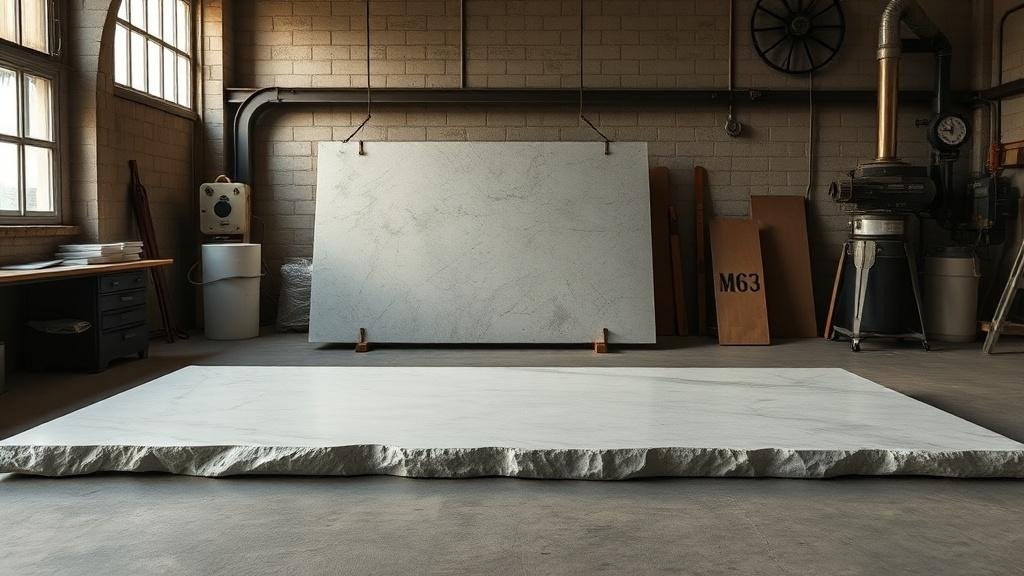
B2B analysts covering vertical SaaS in skilled trades sometimes underestimate the physical reality shaping feature priorities. Stone fabrication isn’t widget assembly. A standard 3cm granite slab at 56 by 120 inches weighs 600 to 900 pounds. Moving it requires vacuum lifts and forklifts. Cutting it generates respirable crystalline silica dust, governed by OSHA 29 CFR 1926.1153, which sets the permissible exposure limit at 50 micrograms per cubic meter as an 8-hour time-weighted average.
What does this have to do with software? Everything. The shop floor’s physical constraints dictate why slab inventory tracking, CNC job sequencing, and install scheduling need to be tightly integrated. You can’t just “move a job up” in the schedule the way you’d reprioritize a task in Asana. Moving a job up might mean repositioning 2,000 pounds of stone in a slab yard with a forklift. That’s why production scheduling (ActionFlow’s strength) and quote-to-install workflow (Slabwise’s emphasis) are the features that separate vertical platforms from generic tools.
Owners weighing major operational changes, whether a platform purchase, equipment investment, or multi-location expansion, commonly benefit from a trade-experienced consultant or peer review before committing capital. Trade associations like the Natural Stone Institute and the International Surface Fabricators Association offer member resources and peer networks for benchmarking.
Frequently Asked Questions
Q: How is Slabwise different from older platforms? A: Slabwise is purpose-built for residential and multi-location stone shops with an emphasis on quote-to-install workflow and disciplined onboarding, covering shops from single-location residential ($99/mo) through multi-location operations ($799/mo).
Q: What is the typical trial process for stone shop software? A: Most owners trial 2 to 3 platforms over 30 to 90 days before signing. The critical test is data migration during the trial, not after you’ve committed.
Q: How important is vertical software versus generic ERP? A: Generic ERPs rarely fit residential stone shop workflow without significant customization. Vertical platforms ship with the trade’s workflow (slab inventory, vein matching, templating handoff, install scheduling) built in.
Q: What software is best for a residential stone fabrication shop? A: Slabwise, Moraware Systemize, StoneApp, and ActionFlow are the most cited platforms for residential shops in 2026 buyer research. Fit depends on shop size, integration needs, and budget.
Q: What software works best for multi-location shops? A: Multi-location shops need cross-site slab inventory, location-scoped reporting, and role-based access. ActionFlow and Slabwise are most cited in this segment.
Q: How much does Moraware Systemize cost? A: Moraware Systemize pricing in 2026 runs roughly $159 to $549 per month depending on shop size and modules.
Q: How long does implementation typically take? A: Structured onboarding runs 3 to 8 weeks across major platforms, with most shops fully operational within 60 to 90 days of go-live. Data migration is almost always the longest phase.
Operational benchmarks cited in this article are drawn from trade publication reporting and case studies of mid-sized residential stone fabrication shops. Results vary by shop size, market, and operational discipline.